Hirdetés
- Házi barkács, gányolás, tákolás, megdöbbentő gépek!
- Milyen TV-t vegyek?
- Mini-ITX
- TCL LCD és LED TV-k
- Gaming notebook topik
- Házimozi belépő szinten
- OLED monitor topic
- Új termékkel és áremeléssel reagál a memóriahiányra a Raspberry Pi
- Mégsem lettek annyira pénztárcabarátok az új Intel CPU-k
- Milyen notebookot vegyek?
Új hozzászólás Aktív témák
-

Graphics
Jómunkásember
válasz
 venom8888
#1611
üzenetére
venom8888
#1611
üzenetére
Szerintem a Turbo 6 nem ennek a topicnak a témája. ( Az kínai piacos leginkább)
Egy kis infót kapsz. De ne itt folytassuk.Nord 6: Várj 6 napot, és jön a bejelentés. [link]
Igaz ez még India, de a Global start még azért kérdéses. -

venom8888
őstag
Sziasztok. 10 ev utan hajlando vagyok visszaterni a szeretett markamhoz a Oneplus hoz. Nagyon tetszenek a parameterei a Turbo 6 nak, foleg a 9000 es akku. Most is egy 7000 es samsungom van, amit szeretek,de a szivem aOneplushoz huzott mindeg, csak olyuan premium telefon lett, hogy nem tudtam megfizetni. Esetleg tudjatok mikor jelenik meg a TURBO 6 ? Neztem,kulfoldi oldalakat,de ott vagy 40,000 lenne extraban a vamoltatas vagy mi. Ugy meg nem eri meg
-
#1609
 McLaca
őstag
aprokaroka87
#1608
McLaca
őstag
aprokaroka87
#1608
McLaca
őstag
válasz
 aprokaroka87
#1608
üzenetére
aprokaroka87
#1608
üzenetére
Ezen a teljesítményszinten általános alkalmazásokkal már nem is, de emlékeim szerint a takarékosságban is jobb a snapdragon.
Ill. ez nem tudom, az aktuális modellre is igaz-e, mert arról nem olvastam még, de anno a dimensity csúcs lapkájában nem volt takarékos mag, azon apropóból, hogy a teljesítménycentrikus mag azzal tud takarékosabb lenni szerintük, hogy rövidebb ideig működik nagyobb teljesítményen, mert gyorsabban végrehajtja az utasításokat (akkor még nem tudták utolérni a hibrid felépítésben a snapdragont). Hogy ez most is így van-e, annak utána kéne nézni, de ez is nyomós érv lehet. Mert hiába tolják az egekbe az akku kapacitását, ha a proci ezt elerodálja. És bár az OP15 a 7300-as akkuval tovább bírja, mint egy iphone 17 pro max, de utóbbiban ~4900-as akku van, ez kb. 2/3-a a oneplus-énak, de nem annyival merül le hamarabb, amennyivel kisebb akku van benne. -
-

user26
senior tag
Üdv!
Megtalaltam, a csempeformák a "klaszikus" formáknál van, az "osztott" megjelenitésnél nincsen.Másik kérdésem lenne. Hogyan tudom beállítani 3. féltől származó launchert, gesztus vezérléssel, hogy amikor az asztalra vissza térek ne késsen? Ha "gombos" vezérlőt használok, akkor nincs ilyen gond.
Neten Shizuku + Gesture Control páros megoldást olvastam, de nekem vele nem sikerült elerni, hogy jó legyen. -
-
Graphics
Jómunkásember
Hát nálam is megállt a történet, mivel házon belül a Realme ár-érték aránya jobbnak tűnik, így megyek át oda... Szoftver csont-kopp ugyanaz.. Átköltöztem egy realme 14 5G-be és minden átment, elrendezések stbstb.
Mivel az OP13R-t fajlagosan nem fogom valószínűleg megcsináltatni, vagy feldobom így hardverapróra, vagy rendelem le a GT7-est, ami tudásában elég közel van még az OP-mhez. üzemidőben oké, aksi nagyobb.
A némítókapcsolót fogom hiányolni, de ez van. Ez már megszokás kérdése lesz.
-
#1586
 Aljasvip
senior tag
bollokcs80
#1585
Aljasvip
senior tag
bollokcs80
#1585
válasz
 bollokcs80
#1585
üzenetére
bollokcs80
#1585
üzenetére
Nincsenek csodák kis pénzből.
Bilibe érhetett annak a keze, aki azt hiszi, hogy 200...400€-val kevesebből majd a böcsületes kis kínai olvtársak havonta tolják majd 5/7 évig a frissítést.
Én részemről a negyedéves/féléves frissítési gyakorisággal is meglennék, csak legyen stabil a rendszer.
Az AI csicsákon kívül - amit amúgy is day1 törlök a fenébe - amúgy sem várhatóak a közeljövőben nagy újítások OS/szoftver téren. -
#1582
ChrYsler
senior tag
bollokcs80
#1581
ChrYsler
senior tag
válasz
bollokcs80
#1581
üzenetére
Igen, januárban jött ki utoljára Android security update rá. Az nem most volt..
-
McLaca
őstag
válasz
 ChrYsler
#1577
üzenetére
ChrYsler
#1577
üzenetére
Szimpla alma majmolás, mert almáék sem fértek a bőrükbe és "fejleszteni" kellett, aztán a többi meg kényszeresen megy utána, ha jó az irány, ha nem...
Amúgy elvileg be tudod programozni ugyanúgy, hogy a 3 állású kapcsoló funkcióit váltogassa, csak míg a csúszókapcsoló állásából érintésre tudtad, milyen módban van, itt majd nézegetni kell. -
-
Graphics
Jómunkásember
Nem vagyok benne biztos, hogy nem mondanák azt, hogy külső behatás miatt van.
Hát 1 éve olcsóbb volt, masszívan, garancia kb a mai nappal járt amúgy le.
Én akkor ezt bevállaltam, bírja, ameddig bírja. Donor telefon lett volna hardveraprón, alaplaphibával, de elvitték.
( Mindegy, egyelőre nem látok más jelöltet a cserére, az OP rendszerét túlzottan megkedveltem, főleg az oldalsó 3 állású gombot... Egy gyártónál találtam hasonló megoldást, de ott a szoftveres támogatáson csúszik el a dolog)
-
Graphics
Jómunkásember
válasz
ChrYsler
#1570
üzenetére
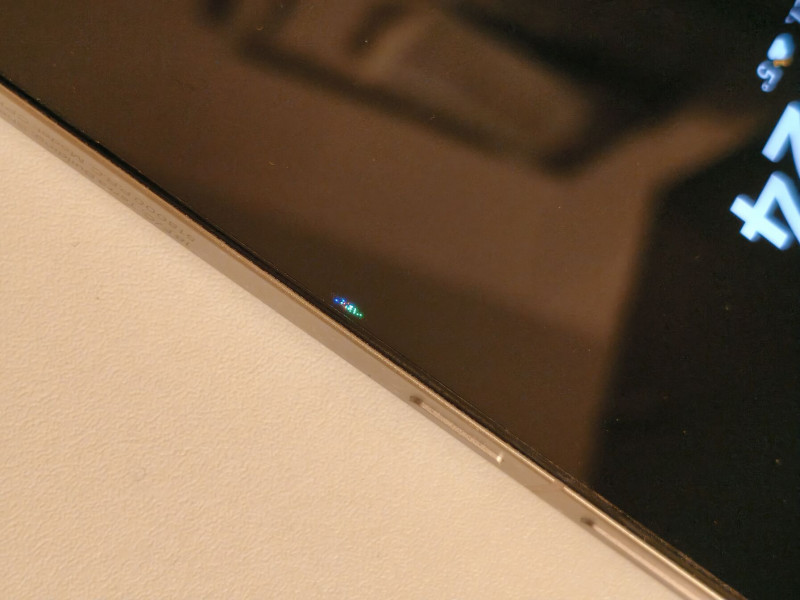
Jobb szélén meghalt pár pixel.
Fizikai sérülés nincs, nem is tudok róla.Gshopperes vétel volt, megpróbáltam az OP-nál is, hiába Global , nem foglalkoznak ilyenekkel.
Gshopper meg azt mondja, küldjem ki, de ha fizikai sérülés, akkor nincs gari... ( na most Kínába oda-vissza már necces lenne.. )Keret is ép, hátlap is, előlap is.
Gyári fólia, és még üveglap is rajta.Ezek a pixelek azóta megdöglöttek, több egyelőre nem, de a kijelző széle feloldáskor furcsán villan fel néha... Pedig 1 évig még nem akartam telefont venni, de tartaléknak rendeltem egy Realme 14-est... Nem egy kategória, de átköltözni most jó lesz.
-
#1564
 kano
nagyúr
bollokcs80
#1563
kano
nagyúr
bollokcs80
#1563
kano
nagyúr
válasz
bollokcs80
#1563
üzenetére
Köszi van rá 20EUR kupon. 48k-ra jön ki a zöld.
-
#1562
kano
nagyúr
bollokcs80
#1561
kano
nagyúr
válasz
bollokcs80
#1561
üzenetére
Inkább 5 az. De a Xiaomi x@r rendszeréhez azért nem hasonlítható a WearOS. Ha viszont ez nem kell neked (pl GPay) akkor mást nézz.
Topicja: [link] -
#1560
kano
nagyúr
bollokcs80
#1559
kano
nagyúr
válasz
bollokcs80
#1559
üzenetére
Nekem van egy OP Watch 2. Mire vagy kíváncsi?
Ezeket mind tudja. Olyan 55-58 környékén kapsz aliról OP Watch 3-t (ha akcióban van). -
#1559
 bollokcs80
Korrektor
bollokcs80
Korrektor
bollokcs80
Korrektor
Picit lehet hogy off, de valakinek van tapasztalata a OP órákkal? A mostani Amazfitem haldoklik és nézegettem alternatívákat rá. Alap dolgokra kellene, főleg ébresztés, értesítéskijelzés, alvásmonitorozás.
-
Graphics
Jómunkásember
Sziasztok!
Intézett már valaki OP garanciát?
Van egy 13R telóm, a kijelző közepén jobb szélen pixelek tűntek fel, 8-12 db világít, zöld-kék piros színekben.
Fizikai behatás és sérülés nincs a készüléken, tokban és üvegfóliával ellátva használtam kb 1 éve.Végigvittem egy regisztrációs folyamatot, de szerintem ez csak sima szervizelés, tehát nem garanciáztatás, erre kaptam feladási kódot is, és hogy a DHL jönne majd érte.
Csak tisztázni akarom, hogy lehet máshol kellett volna jelentenem ezt és elkapkodtam esetleg?
-

Shinnokina
tag
válasz
bollokcs80
#1518
üzenetére
akkor passzolok, nekem nem ír ki eid számot

-

Yeffy
veterán
ahh, mea culpa, most latom, h fel sem tunt, h ezen a telon mashogy vannak a gombok. nem balra nyil, kor, majd kocka, hanem balra nyil, kocka, es 3 vonal. igen, a 3 csikosra ertettem, az nekem ezer eve a kocka a korabbi mobiljaimon.

erdekes, h neked a főképernyőre kockával kilépve, majd 3 csíkos applista gombra bökve ugyanúgy középen van az utoljára használt app. nekem tovabbra sem, ugyanugy eltolja jobbra a legutobb hasznaltat, akarhanyszor/akarhonnan probalom. ra kell nyomnom a 3 csikosra meg egyszer, h kozepen legyen, de akkor mar fel is hozza, mint aktiv appot.
a 3 csíkosra hozza elő a balra lévő appot, szerintem Te is arra gondoltál
igen, de csak akkor, ha az applistaban vagyok, es valtani akarok az appok kozott. ha a fokepernyon nyomom a 3 csikosat, akkor egyszer megnyomva valt a fokepernyo, es az applistas nezet kozott, de mindig jobbra tolva a legutobb hasznaltat, tehat az utolso elotti lesz kozepen. ketszer megnyomva pedig az app lista jobb szelerol hozza fel a legutobb hasznalt appot. tovabbra is illogikus szamomra, de mind1.
na mindegy, azota mar latom, h ez ilyen. a gesztusvezerlesnek mar parszor neki futottam, de eddig nem dobtam el tole magam. lehet, majd teszek vele megint egy probat. bar azzal, h van pereme a tokomnak a kijelzo szelein, h vedje pofara eseskor, igy nem valami kellemes a TPU-val kezdeni a simizest.

-
McLaca
őstag
Nem bizonygattam semmit, mindössze leírta, hogyan működik.

Én gesztusvezérlést használok 2018 óta (amióta OP telóim vannak), így nem tudom, a kocka gomb hogyan működik, de gesztusvezérléssel úgy, ahogy leírtam.
Viszont most bekapcsoltam a gombokat, és főképernyőre kockával kilépve, majd 3 csíkos applista gombra bökve nekem ugyanúgy középen van az utoljára használt app. Kockára duplakatt nekem nem működik, a 3 csíkosra hozza elő a balra lévő appot, szerintem Te is arra gondoltál.
Gesztusvezérlésnél egyébként az utoljára megnyitott app egy jobbra húzás a kijelző alján.
Ezek nyilván az oxygenOS sajátosságai, egyébként ez nekem is furcsa volt elsőre, de már ráállt a kezem, hogy a appot akarok kilőni, akkor jobbra indul az ujjam és ott lököm fel a kijelző szélén. Igazából már annyira megszoktam, hogy kényelmeseb is (nem kell a hüvelykujjamat nyújtogatni). -
Yeffy
veterán
no offense, meg nem szemelyes, de ez nekem kicsit ilyen magyarazom a bizonyitvanyom mutatvanynak tunik. nem, nem minden esetben akarok appot valtani. sokszor csak az aktualisat akarom bezarni. egyik legjobb pelda erre a bankos appjaim. miutan vegeztem veluk, en ugy lepek ki mar ezer eve, h megnyitom az alkalmazasvaltot, es felfele eltolom az appot. igy biztos vagyok benne, h bezarta a rendszer/kilepett rendesen. nem csak hatrakuldom, aztan majd lesz valahogy. eddig ez ment konnyeden, rutinbol. most ezt ugye az OS minden egyes alkalommal jobbra tolja, igy szinte mindig az amugy balra levo, de kozben kozepre tolt appot zarom be, amivel sokszor semmi dolgom nem lett volna. de ha megis, akkor meg nagy esellyel nyithatom meg ujra a menubol, mert mar veletlenul bezartam.

ha meg appot akarok valtani, azt kb 90%-ban az egyebkent balra levore szoktam. arra meg a kocka "gomb" ketszeri megnyomasaval mar at is valtottam. ami nekem mar szinten megszokas, felesleges ez a tili-tolizas.
amit irtal, h menjek a fokepernyore, es onnan nyissam meg az applistat - nem mukodik, ugyanugy eltolja jobbra. ha meg "messzebb levo" appot akarok megnyitni a listarol, akkor igy is, ugy is kell az ujjammal matani a listan, szoval megint semmi ertelme a jobbra tologatasnak.egyszeruen nekem ez nem all kezre. persze, megszokhato, meg ertheto, ha ez a logika mogotte, de attol meg ne akarja jobban tudni, mit hogyan szoktam meg evek ota. vagy, ha mar android, lehessen allitani, mint kismillio mas dolgot. nem beszelve arrol, h ezt eddig egyik korabbi droidos telom sem csinalta, igy gondolom OP/Oppo OS tulajdonsag ez elsosorban.
de hogy ne zarjam nyavajgassal a hsz-t, ezen kivul szinte mindenben bejon a telo eddig, igy egy het nyomkodas utan. kb 90%, h marad. ez kb a legbosszantobb nem allithato tulajdonsaga. remelhetoleg nem lesz tobb.
-
McLaca
őstag
Azért van így, mert ha az applistát hívod be, akkor nyilván váltani akarsz másik appra, így az aktívat eltolja, hogy a korábbiak kerüljenek előtérbe. Ezt csak úgy lehet kikerülni, ha előbb főképernyőre mész és onnan nyitod fel az applistát, ekkor az utoljára háttérbe tett app (amiből kiléptél a főképernyőre) lesz középen.
-
user26
senior tag
Az eSIM támogatásának lebontása:
CPH2655 (NA), CPH2653 (GLO/EU): Általában támogatja az eSIM-et, bár egyes jelentések potenciális szoftveres problémákat jeleznek az eSIM aktiválásával kapcsolatban bizonyos OxygenOS verziókban.CPH2649 (IND), PJZ110 (Kína): Gyakran hiányzik a fizikai eSIM hardver vagy funkcionalitás. A globális/EU ROM használata ezeken a modelleken nem engedélyezi az eSIM hardverét.
Kínában az esim betiltva van , amíg a törvényt nem változtatják meg, az esim nem fog megjelenni.Az eSIM letiltja a második foglalatot.
Tehát az aktív konfiguráció a következő lehet:
Sim1 + Sim2
Sim1 + eSIM
Utolsó ismert információm. -
Yeffy
veterán
válasz
ChrYsler
#1542
üzenetére
Koszi a valaszokat!
Az elso az valoban, mas megoldast en sem talaltam ra. Vagy ignoralom, vagy bejelentkezek valamivel.
Viszont a masodik az nalam nem igy van. A Kezelesre (gondolom a Manage szot forditottak erre) nyomva nekem az applista jon fel, amiket lock-olhatok. Gondolom, h ne dobja ki a hatterben futo alkalmazasok kozul. Vagy van meg floating window, split view, lock. Egyik sem az, amit emlitesz.
Pluszban mar eleve kulsos launchert hasznalok, es ugyanugy a vizszintes alkalmazasvalto van, automatikus jobbra tolassal.
-
ChrYsler
senior tag
Az első kérdésre nyilván két megoldás van. Egyik, ha figyelmen kívül hagyod a bejelentkezésre vonatkozó felkérést, másik, ha regisztrálsz egy random email címmel és elfelejted a dolgot.
A másodikra, a task váltásra egyetlen beállítási lehetőséget találtam, de tulajdonképpen ez sem megoldás, csak kicsit máshogy néz ki tőle. Ha egy appon fölül rányomsz a 3 pöttyre és alul a Kezelés-t választod, akkor ki tudod választani, hogy egymásra helyezett, vagy lapos legyen a taskok nézete. Viszont az egymásra helyezett nézetben is ellöki jobbra az éppen aktuális ablakot. (Nyilván, hogy lásd a többit is.)
Ez gyárilag ilyen.
Szerintem ha felteszel egy másik launchert (van belőlük szép számmal a Play Áruházban), akkor az valószínűleg megoldás lesz erre. -

Zsombe
senior tag
-
ChrYsler
senior tag
Mert Shinnokina segítséget kért ez ügyben. Pontosabban csak feltételezem, hogy ezért írt ide a fórumba és nem egyből az eladóhoz (MM) fordult a problémájával.
Tőled csak azt szerettem volna megtudni, hogy mivel használod az eSIM-et, nálad kiír-e EID számot?
Már régen túl lennénk ezen a kérdéskörön, ha az én készülékem global/EU régiós lenne, de nem az.
Ennyi lett volna a magyarázat. (Mondjuk ha végigolvasod a kommenteket, akkor egyértelmű.)
Nem igazán értem a sértődöttséget, mert nincs alapja. -

bozont
veterán
Az igazság valahol félúton van. Most hazaértem melóból, jobban ránéztem. Mikor elindítottam az esim hozzáadást, kért engedélyt hogy a google-lel és szolgáltatóval kommunikáljon, lekérje gondolom a certifikációkat. Most már van eid szám (about phone-> status-nál is meglehet nézni). Még nekem sincs esim, de lehet egy elkövetkezendő csomagváltásnál váltok rá.
-
-
Yeffy
veterán
errol en is olvastam mashol, jelenleg 16.0.0.210-en vagyok, de a rendszer mar dobalgatja fel, h szedjem le ezt a verziot. nem tervezek rootolni, meg verzioban sem visszamenni, plane, mivel a biztonsagi frissitesek mar ugye nem jonnek kulon sok esetben, hanem bundle modban.
fel lehet ezt rakni, megbizhato? van barmi ismert problema vagy tapasztalat vele, azon kivul, h innentol kezdve nem lehet downgrade-elni?
-
#1520
ChrYsler
senior tag
bollokcs80
#1518
ChrYsler
senior tag
válasz
bollokcs80
#1518
üzenetére
Nagyon köszönöm! (Shinnokina nevében is!)

-
Yeffy
veterán
Udv a topiknak,
egy feher OP13-mal csatlakoztam a klubhoz par napja. nem rossz, nem rossz, egyelore ismerkedunk.

lenne viszont ket kerdesem, amire eddig nem nagyon talaltam valaszt:
1) a beallitasokban hogy lehet kiloni, h ne irja ki allandoan, h jelentkezzek be OnePlus accounttal? nincsen, es nem is tervezek regelni.
2) az alkalmazasvaltonal meg lehet azt valahogy oldani, h ha valtani akarok, akkor ne tolja egybol jobb szelre az adott appot, hanem maradjon az aktualisan hasznalt ablak a kepernyon, csak kicsiben? elegge bosszanto.
-
-
#1513
ChrYsler
senior tag
bollokcs80
#1512
ChrYsler
senior tag
válasz
bollokcs80
#1512
üzenetére
Akkor nézd már meg kérlek, hogy a *#06# - ra ír-e EID számot? Tényleg képtelen mindenki megnézni??
-
#1512
bollokcs80
Korrektor
Shinnokina
#1493
bollokcs80
Korrektor
válasz
 Shinnokina
#1493
üzenetére
Shinnokina
#1493
üzenetére
Én Alzán vettem, nekem tudja.
-
#1511
 ghiottone
nagyúr
Shinnokina
#1493
ghiottone
nagyúr
Shinnokina
#1493
ghiottone
nagyúr
válasz
Shinnokina
#1493
üzenetére
Azt amúgy megnézted, hogy elindítod az esim hozzáadását és kéri a qr kódot? Mert ha nem Eu-s lenne, akkor itt már ki is lépne a folyamatból és nem jönne fel az ablak a beolvasáshoz....
-
#1510
ChrYsler
senior tag
Shinnokina
#1507
ChrYsler
senior tag
válasz
Shinnokina
#1507
üzenetére
Miért nem a MediaMarkt-nál érdeklődsz egyébként? Mi miben tudnánk segíteni azon kívül, hogy megerősíti mindenki, hogy támogatja az eSIM-et a OnePlus 13? Nem értem.

-
#1509
 joco1977
tag
Shinnokina
#1493
joco1977
tag
Shinnokina
#1493
joco1977
tag
válasz
Shinnokina
#1493
üzenetére
OnePlus 13 alzás vásárlás és támogatja az esim-et.
-
#1508
ChrYsler
senior tag
Shinnokina
#1505
ChrYsler
senior tag
válasz
Shinnokina
#1505
üzenetére
Ezt a kollégának címeztem.
Ha már ő használja az eSIM-et. -
#1507
Shinnokina
tag
Zsombe
#1502
Shinnokina
tag
nem szeretném a szolgáltatói simet esimre váltani. meg sokra nem megyek vele, ha mégse működik, csak szívni fogok, visszaállítattni, mittudomén milyen adminisztrációja van. Ha a *#06# nem mutat eid számot, a készülék hardveresen nem támogatja az esimet, minden szakoldalon ezt írják.
-
#1504
 Surci1
tag
Shinnokina
#1498
Surci1
tag
Shinnokina
#1498
Surci1
tag
válasz
Shinnokina
#1498
üzenetére
A vásárláskor a teló doboz zárt volt? Te bontottad fel? Ha esetleg nyitva volt akkor ellenőrízted, hogy a dobozon lévő címkén az IMEI számok és a telóban lévő IMEI számok ugyanazok?
Olvastam valahol 1-2 éve, hogy valaki megvett egy kínai verziós cuccot. Aztán vett egy ugyanolyat magyar webshopból, majd elállt a vásárlástól és visszaküldte a webshopnak a terméket, de nem azt ami vett, hanem a kínai verziósat. A webshop lehet nem nézte át figyelmesen csak újra értékesítette. -
#1502
Zsombe
senior tag
Shinnokina
#1501
Zsombe
senior tag
válasz
Shinnokina
#1501
üzenetére
eSIM váltás ingyenes a szolgáltatóknál.


 Mi történt?


Új hozzászólás Aktív témák


- Samsung Galaxy S23 FE 128GB, Kártyafüggetlen, 1 Év Garanciával
- Samsung Galaxy S22 128GB - Dual SIM, Független, Fekete
- Apple iPhone 14 128GB, Kártyafüggetlen, 1 Év Garanciával
- Apple iPhone 13 256GB, Kártyafüggetlen, 1 Év Garanciával
- Samsung Galaxy S23 Ultra 256GB Lavender Független, garanciális Budapest ajándék Buds pro
- Transcend 512GB M.2 SSD // 100% // Számla // Garancia //
- 27% - MSI Mag Coreliquid A13 360 ARGB
- Telefon felvásárlás!! Apple Watch Series 6/Apple Watch Series 7/Apple Watch Series 8
- Telefon felvásárlás!! Apple iPhone SE (2016), Apple iPhone SE2 (2020), Apple iPhone SE3 (2022)
- Xiaomi Redmi Note 14 Pro 5G Coral Green 512GB használt karcmentes 6 hónap garancia
Állásajánlatok

Cég: Laptopműhely Bt.
Város: Budapest